
Questa pagina non è ancora tradotta. Il testo qui sotto è in inglese.
Tessera documentation

What it is
Tessera is a cooperative tiling layout manager for the window manager you already use. It does not replace your window manager. Instead, it computes window frames from your chosen layout. It then asks the session’s window manager or desktop environment to move and resize windows into place. Your system keeps drawing title bars, handling Alt+Tab, and owning workspaces.
Tessera runs from a system-tray or menu-bar icon with a native Preferences window. It supports Linux (XFCE/X11, GNOME/Wayland, KDE Plasma/Wayland), macOS, and Windows 11.
Key features
- 18 built-in layouts (Layouts) and sandboxed custom JavaScript layouts evaluated in a QuickJS worker (Custom JavaScript layouts).
- Per-workspace and per-monitor memory, automatic floating and workspace-assignment Rules, and configurable overflow policies.
- Native Preferences with live search (
Ctrl+K/Command+K), customizable Shortcuts, optional mouse actions (Preferences), and an on-screen HUD or system notifications (Tray and HUD). - 10 interface languages and a YAML configuration file that preserves unknown keys (Configuration reference).
- Headless CLI and diagnostics to inspect windows, applications, and system capabilities without opening a window (CLI & Diagnostics).
- Optional embedded MCP server for AI agents with read-only inspection and layout control modes on Linux and macOS (AI agents).
What it looks like
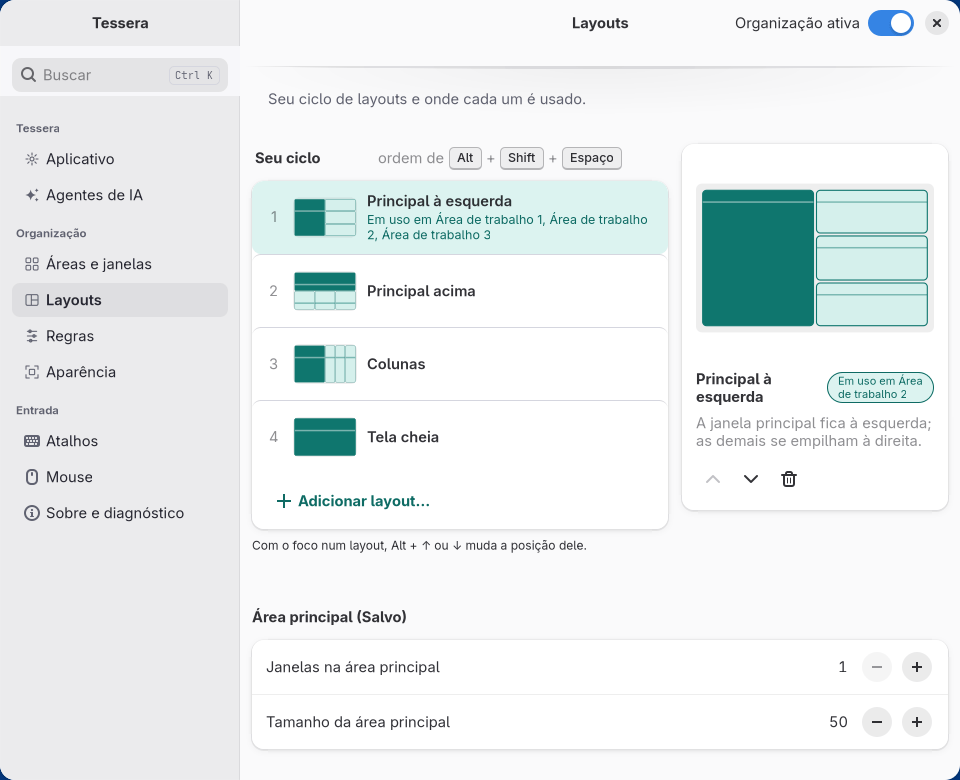
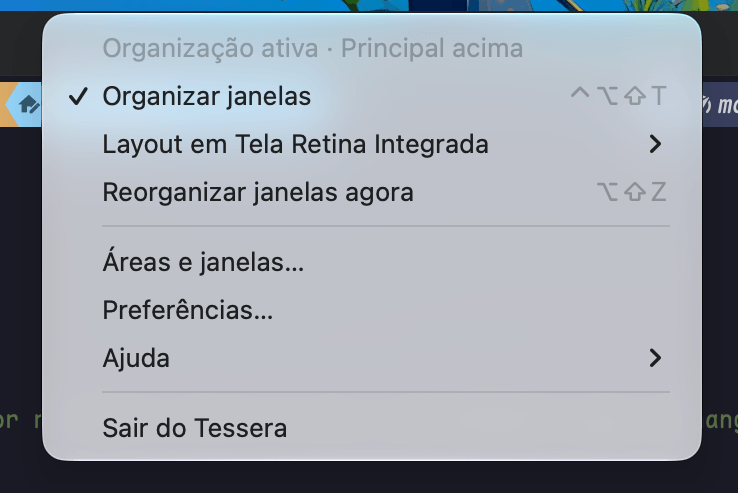
Real captures of the running app (see Preferences and Tray and HUD):
Start here
- Installation and channels: packages, source builds, and verifying release downloads.
- User guide: starting Tessera, switching layouts, moving focus and windows, and daily workflows.
- Start at login: systemd user units, LaunchAgents, and desktop autostart.
- Platform support: capability matrix and requirements per desktop profile.
Configure and customize
- Preferences: the nine Preferences pages, live search, and platform differences.
- Layouts: all 18 built-in arrangements with animated previews.
- Custom JavaScript layouts: writing and sandboxing your own layouts.
- Rules: floating exceptions, workspace assignments, and default window policies.
- Shortcuts: all 65 built-in actions, base modifiers, and recording custom bindings.
- Tray and HUD: tray menu entries, on-screen notices, and system notifications.
- AI agents: enabling and scoping the optional MCP server.
Your system
Reference and troubleshooting
- Configuration reference: every
tessera.ymlkey, default, and platform path. - CLI & Diagnostics:
tessera --debug-info,debug windows,debug apps,service, andmcp. - Upgrading: migrating configuration directories and permissions across versions.
- Troubleshooting XFCE: diagnosing X11/xfwm4 issues.
- FAQ: quick answers to common questions.
- Comparison: how Tessera compares to standalone tiling window managers and other tools.
Contribute
- Architecture: workspace crates, event loop, tiling engine, and platform adapters.
- UI Architecture: how the GTK4/libadwaita, Qt/Kirigami, macOS, and WinUI 3 interfaces are structured.
- Development: building from source, running tests, and local verification.
- Adding a backend: implementing a new window-management backend.
- Report an issue or ask for help